
Rename episode titles in tinyMediaManager
Extract episode title from file name and set it as episode title in tinyMediaManager
Table of Contents
MediaElch
and tinyMediaManager
(tMM) are my favourite video management tools. Both tools generate NFO files that Kodi
, Emby
, Jellyfin
, Plex
, or MediaPortal
can use as metadata providers. They can fetch metadata from sources such as TheMovieDB.org, TheTVDB.com, IMDb.com, or Fanart.tv.
In most cases, the episode order in your library will match the order listed on those online sources, allowing MediaElch or tMM to retrieve metadata accurately.
For various reasons, TV show episode ordering can vary by region, country, or media format (e.g., DVD vs. Blu-ray). In some cases, only a subset of episodes may be released in a specific region, causing MediaElch or tMM to fetch incorrect metadata and scramble your episode titles.
You can resolve this issue by renaming episode titles in tMM using the built-in TV Show Renamer .
Example Case 
Let’s assume we have the following files:
Some.cool.series.S01E01.Into.1080p.x264.mkv
Some.cool.series.S01E02.Cool.Episode.1080p.x264.mkv
Some.cool.series.S01E03.Even.Cooler.episode.1080p.x264.mkv
Some.cool.series.S01E04.Season.Finale.1080p.x264.mkv
Our goal is to extract and set the episode titles to:
- Into
- Cool Episode
- Even Cooler episode
- Season Finale
tMM Limitations
As of July 2026, tMM does not support:
- Regular expressions
- Native string slicing or substring functions
- I really like how Foobar2000 handle this with
$substr(str,from,to)
- I really like how Foobar2000 handle this with
Extracting Episode Titles from Filenames
Given these limitations, we’ll need a workaround to parse the filenames and extract the titles. I arrived at the desired result in two steps:
- Remove Fixed Portions (Prefix & Suffix)
- Strip Leading Digits via Chained Replacements
To access the TV Show Renamer in tMM, select the episodes to rename:
- press Ctrl+Shift+B
- or right click ->
Enhanced editing->Bulk editing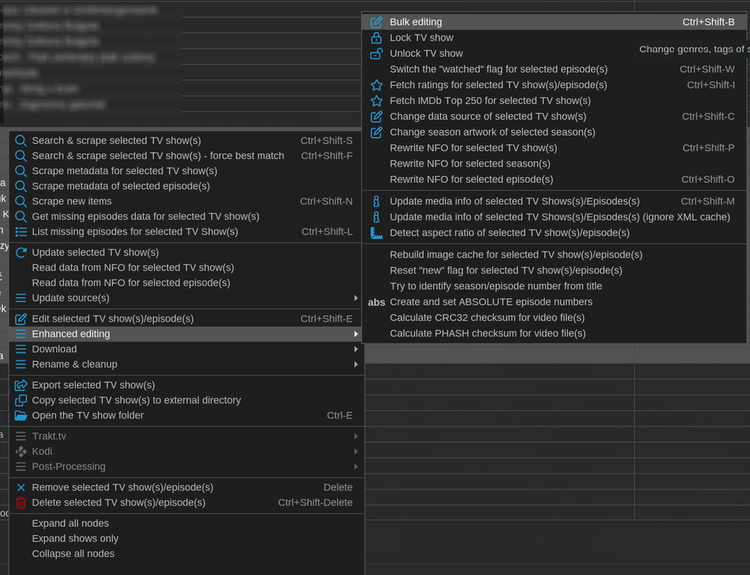
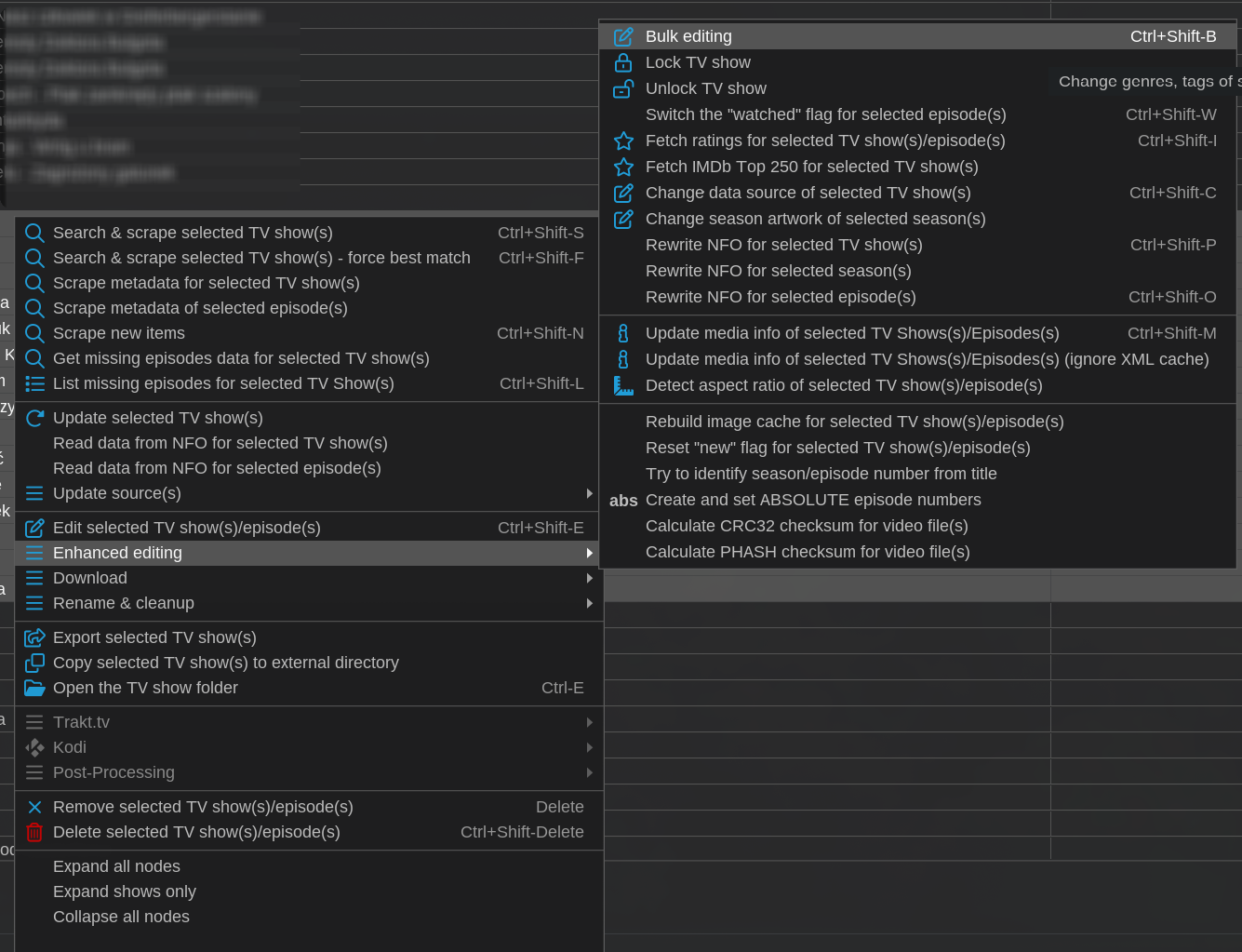
Then click on Episode Expert tab, select Title from Field to edit dropdown and paste the rename pattern.
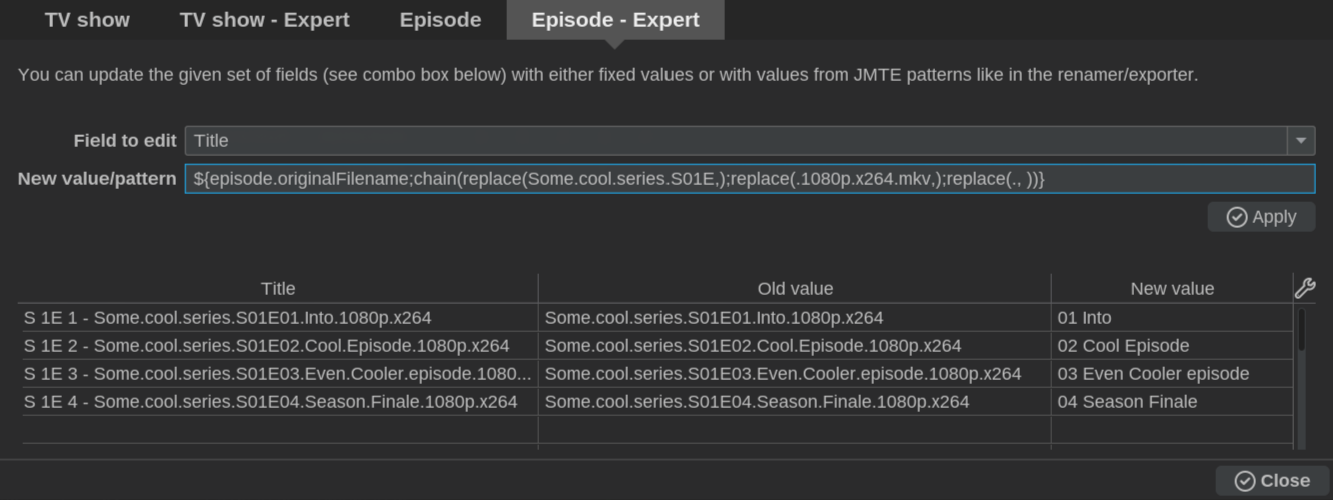
Episode Expert view in tMM
Remove Fixed Portions (Prefix & Suffix)
In tMM, you can chain multiple helper functions to strip the prefix, suffix, and replace dots with spaces in one expression:
${episode.originalFilename;chain(replace(Some.cool.series.S01E,);replace(.1080p.x264.mkv,);replace(., ))}
(Note: In tMM, passing an empty second argument to replace() deletes the matched text.)
After applying this, the titles become:
01 Into
02 Cool Episode
03 Even Cooler episode
04 Season Finale
Strip Leading Digits via Chained Replacements
Since tMM doesn’t support regexp or substr we have to use a ‘brute-force’ approach. It’s ugly but it gets the job done.
To clean up the remaining episode numbers, we chain 9 replace() calls to remove leading digits:
${episode.title;chain(replace(0,);replace(1,);replace(2,);replace(3,);replace(4,);replace(5,);replace(6,);replace(7,);replace(8,);replace(9,))}
Reference: NFO Documentation
For more details on NFO files, check the official resources: